
All Your Delivery Orders. One Screen.
Wolt, Bolt Food, Uber Eats & Deliveroo — straight into your SmartOn POS
Stop juggling tablets. Delivery orders from Wolt, Bolt Food, Uber Eats, and Deliveroo appear automatically in your POS. Accept, set prep times, and track every order from pending to ready — without leaving the till.
Free demo available
Integrated platforms
Instant notifications
New order? You’ll know immediately.
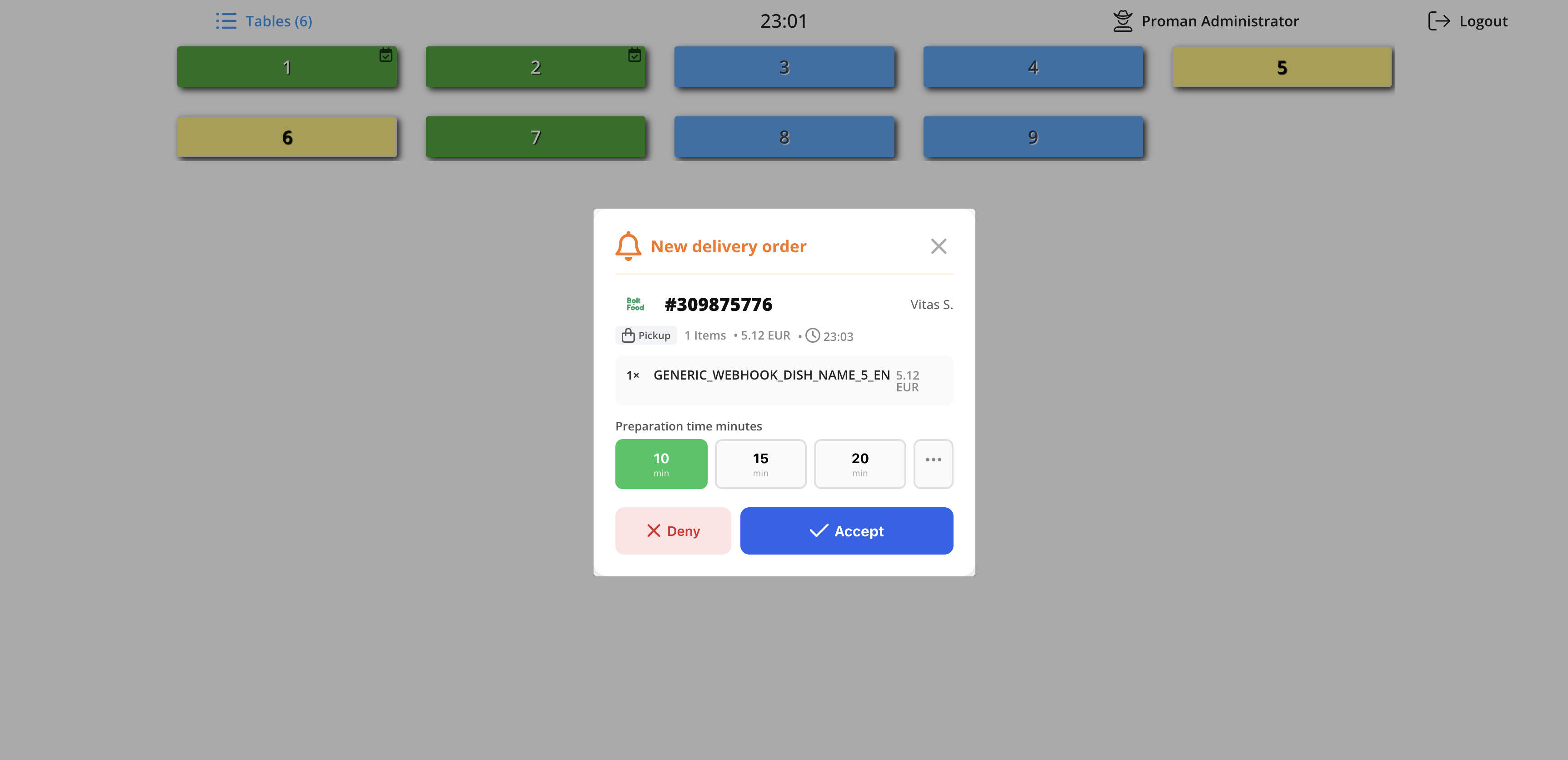
The moment a customer orders on Wolt, Bolt Food, Uber Eats, or Deliveroo, a notification pops up on your POS. No switching apps, no missing orders.
- Shows platform, order number & customer name
- Full item list with modifiers and notes
- Set prep time before accepting
- One-tap Accept or Deny
Order management board
Every order, every platform, one board.
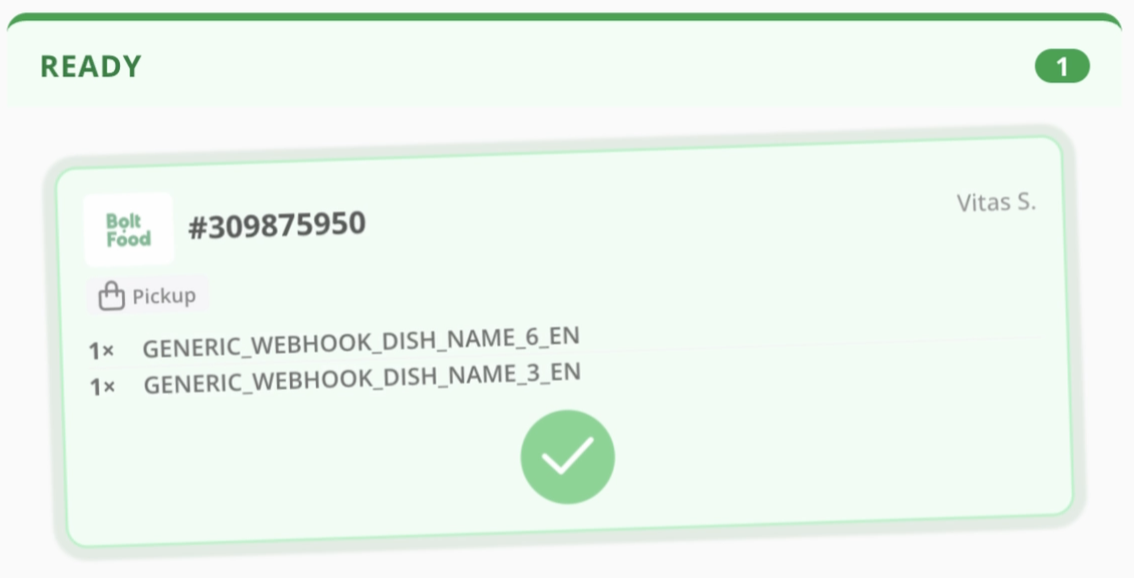
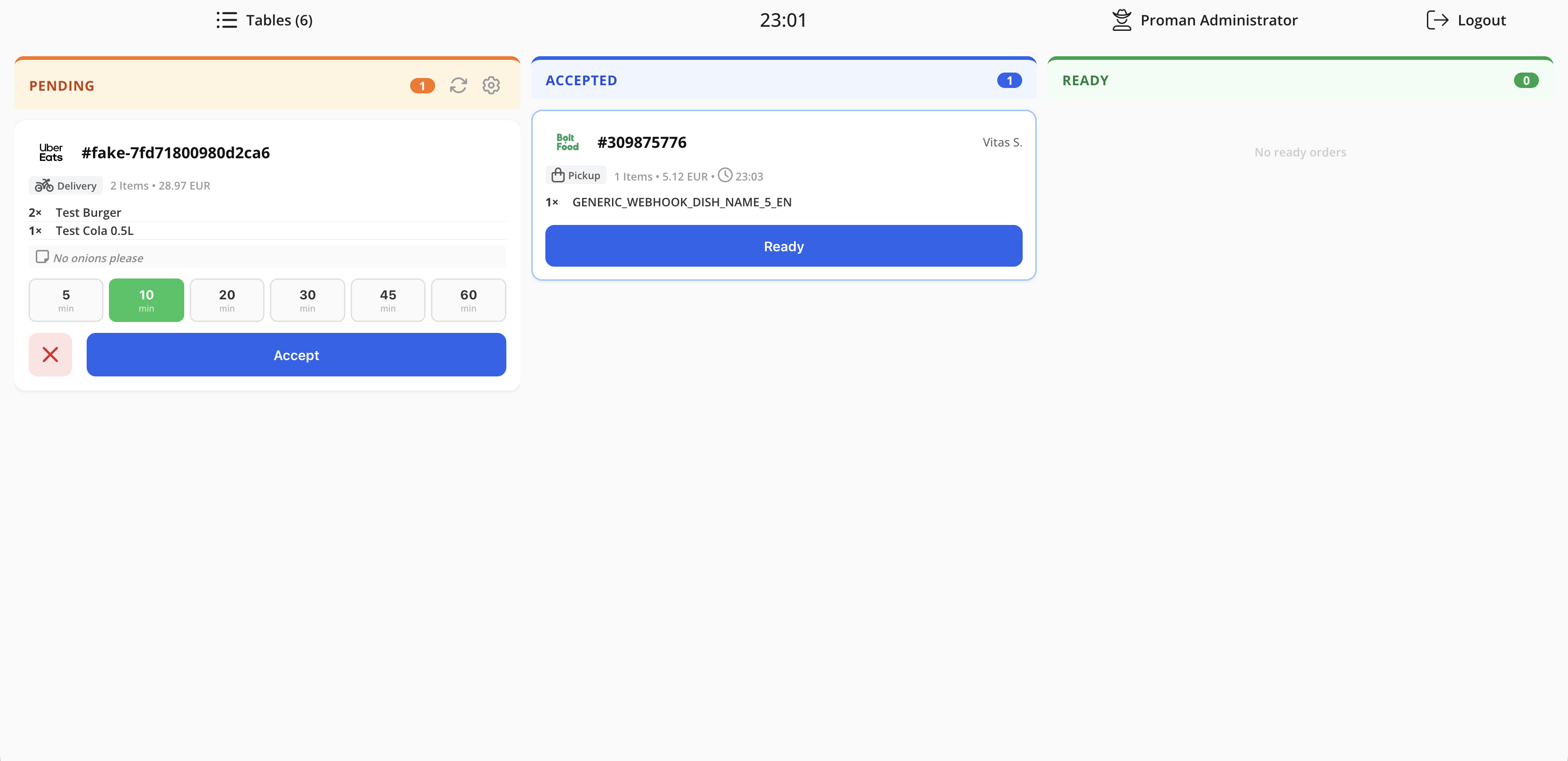
Track all delivery orders through three clear stages — Pending, Accepted, and Ready. Wolt, Bolt Food, Uber Eats, and Deliveroo orders sit side-by-side so nothing slips through.
- Pending: new orders waiting to be accepted
- Accepted: in preparation with prep time running
- Ready: packed and waiting for pickup or rider
- Works across all connected platforms simultaneously
How it works
From order placed to order ready — in four steps.
Order arrives
A new delivery order pops up on your POS screen instantly — from Wolt, Bolt Food, Uber Eats, or Deliveroo.
Accept & set prep time
Tap Accept, choose a preparation time, and the platform automatically notifies the customer.
Kitchen prepares
The order moves to Accepted on the board. Kitchen staff see it on the display and start preparing.
Mark as Ready
When done, mark the order Ready. The platform is notified and the rider or customer can collect.
Everything You Need
Built into SmartOn POS — no extra hardware or subscriptions.
Instant Order Notifications
New delivery orders pop up on the POS the moment they come in — accept or deny without leaving the table view.
Set Preparation Time
Pick a prep time (10, 15, 20 min…) directly from the accept dialog so the platform gives the customer an accurate pickup window.
Pending → Accepted → Ready
A built-in kanban board tracks every delivery order from acceptance to handoff — Uber Eats, Bolt Food, Wolt, and Deliveroo all in one view.
Item-Level Detail
See the full order: items, quantities, modifiers, and special requests (e.g. 'No onions please') right on the card.
Pickup & Delivery
Handles both pickup and rider-delivered orders. Order type is clearly labelled so kitchen staff always know what they're preparing for.
One Menu, All Platforms
Manage your menu in one place. Changes sync across Wolt, Bolt Food, Uber Eats, and Deliveroo automatically — no duplicate work.
Works Seamlessly With
Ready to stop juggling delivery tablets?
Get all your delivery orders in one place — set up in a day.
Free demo available