 ×
×
Table reservations
that just work.
Dineq is SmartOn's partner for table reservation management. Guests book online, your staff see everything inside SmartOn POS.
Integration
Reservations flow straight into your POS
A guest books through Dineq — SmartOn POS automatically updates the floor plan. No manual entry required from your staff.
Guest books online
Via your website, Google, Facebook, or the Dineq app.
Dineq processes the booking
Automatic confirmation and pre-visit reminder sent to the guest.
SmartOn POS syncs
The booking appears on the floor plan — staff prepare the table on time.
Features
Online Reservations
Guests book tables directly from your website, Google, or social media — 24/7, no phone calls needed.
Table Management
See real-time occupancy across all your dining areas. Manage seating with a single tap.
Automatic Reminders
SMS and email reminders sent to guests before their booking — fewer no-shows, more revenue.
Guest Profiles
Store guest preferences, allergies, and visit history. Deliver a personal experience every time.
Occupancy Analytics
Track peak hours, average table time, and booking sources. Optimise staffing and layout.
SmartOn POS Integration
Bookings sync automatically with SmartOn POS — staff see everything in one place, no double entry.
Built into POS
Reservations right inside the POS
No more reservation books. Add a new booking straight from your phone when a client calls — enter the name, guest count, table, and any comments. Staff see it the next day and the kitchen sees reservations directly on their display.
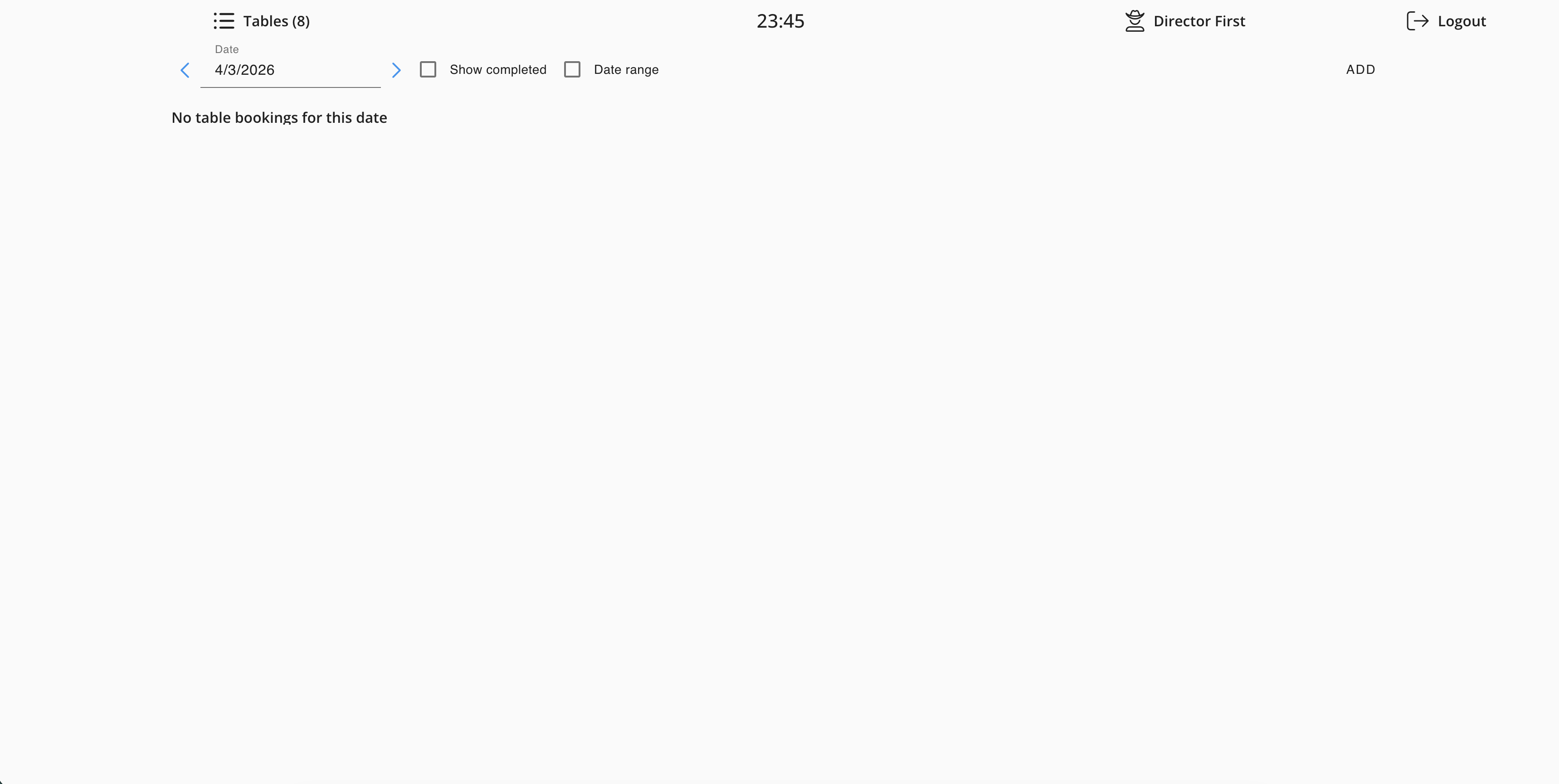
All bookings by date
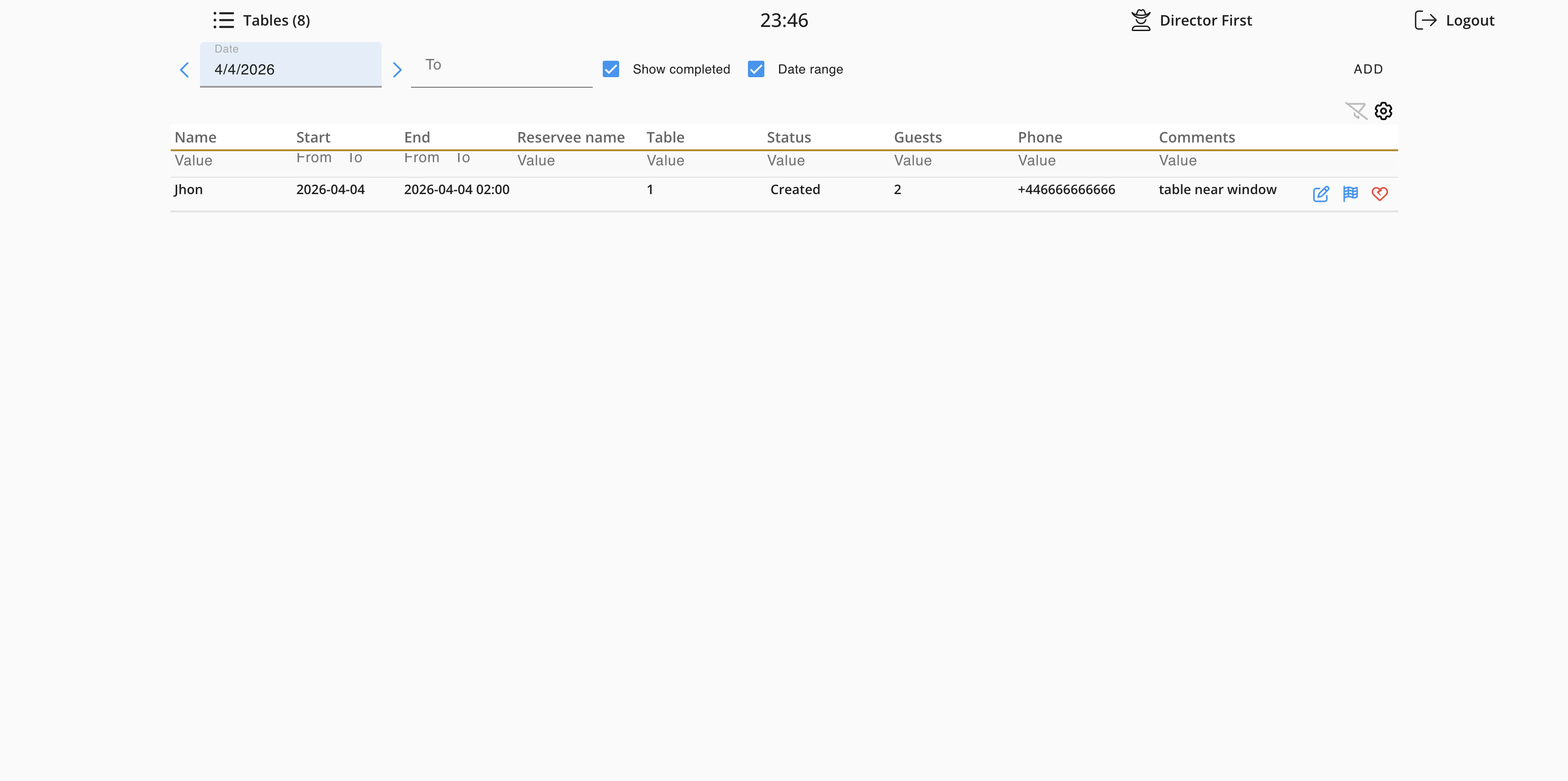
Name, table, guests, phone, and comments
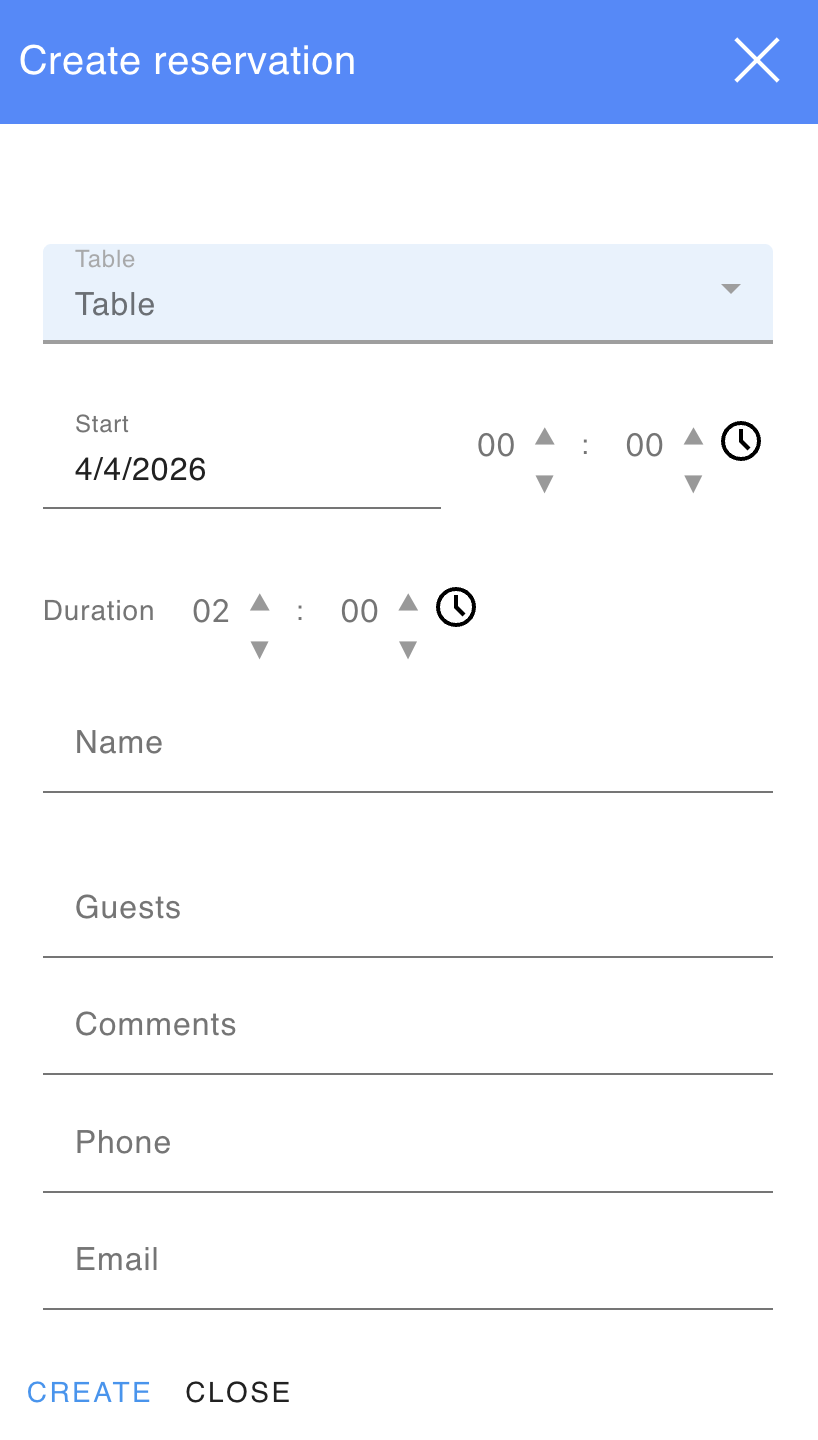
Quickly filled in directly from your phone
Kitchen sees reservations directly on the SmartOn display
Once a reservation is created in the POS, kitchen staff see it on the SmartOn Kitchen display — guest count, time, and comments. Chefs can prepare in advance without separate messages or phone calls.
Dineq is an independent partner platform. To learn more about Dineq features and pricing, visit their website.
Visit dineq.com