
Cloud POS for Restaurants & Cafes
Manage tables, orders, staff, and inventory — all in one place
A cloud-based POS system for restaurants, cafes, and hospitality. Works on any device with no hardware lock-in.
Free demo available
Everything your restaurant needs
From table management to loyalty programs — all in SmartOn.
Table Management
Professional table management — staff enter orders quickly via tablets or any internet-connected device.
Reservations
Centralised system for online bookings and waitlist management.
Inventory Tracking
Raw materials, vendor relationships, and purchase orders in a unified interface.
Flexible Payments
Cash, card, QR, coupons, and online payments. Integrated with Swedbank and SEB.
Loyalty & Gift Cards
Customer retention tools including loyalty programs and gift card sales.
Employee Management
Manage staff permissions, generate X/Z reports, and analyse performance metrics.
Time-Based Promotions
Schedule happy hours, discounts, and special offers automatically.
QR Code Ordering
Guests scan, browse the menu, order and pay — no waiter needed.
Cloud-Based
Works on any internet-connected device. 24/7 support, quick installation.
Any device
Waiters take orders from their own phone — at every table
SmartOn runs on any phone, tablet, or computer — iOS, Android, Windows, or Mac. No special hardware needed. Plug & play — log in from a browser or download the app. No limit on how many devices work simultaneously.
Live system
Real POS — not a mockup
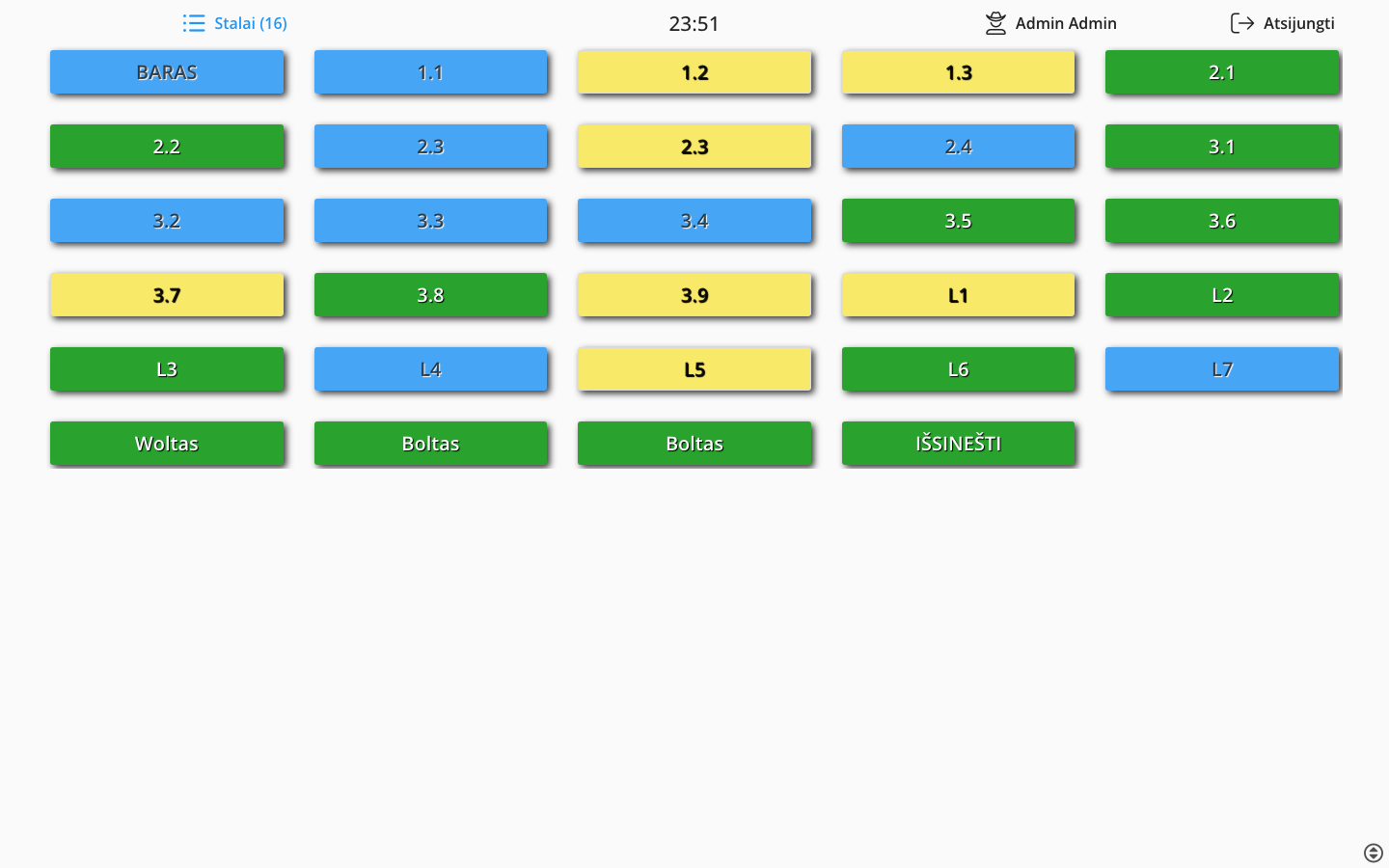
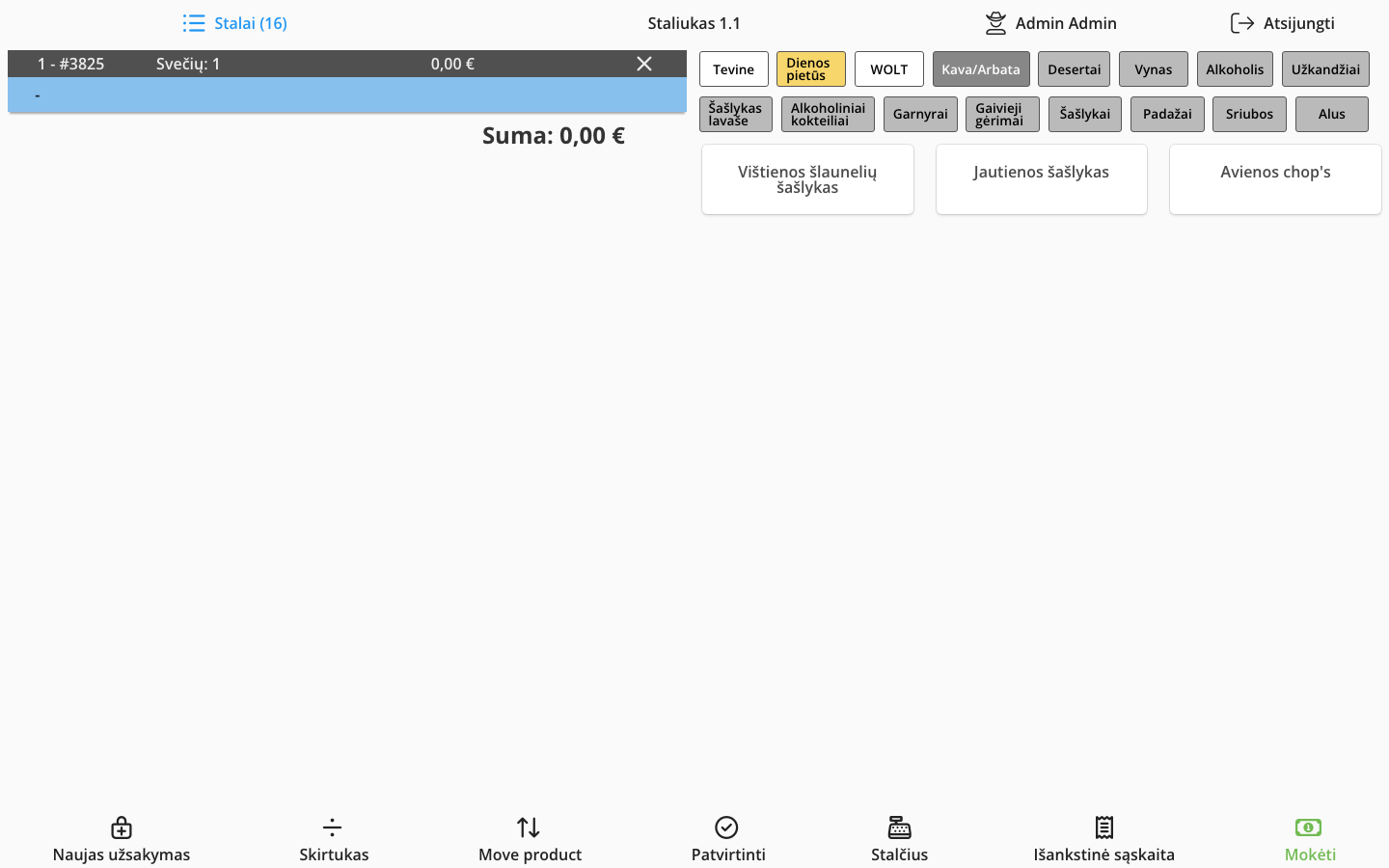
These are actual screenshots from the SmartOn POS running at a live venue. Table colours show status at a glance — blue is free, yellow is open, green is served, red needs attention.
- Table status in real time
- Click any table to open the order
- Colour-coded by status
- Works on any screen size
Food Delivery
Wolt, Bolt Food & Uber Eats — straight into your POS
Orders from food delivery platforms appear automatically in your SmartOn POS. No manual copying — all channels in one place.
- Orders sync in real time
- Automatic confirmation to the platform
- One menu — all channels
- Integrated stock control across all orders


Card Terminal Integration
Press "Pay by card" — the amount goes straight to the terminal
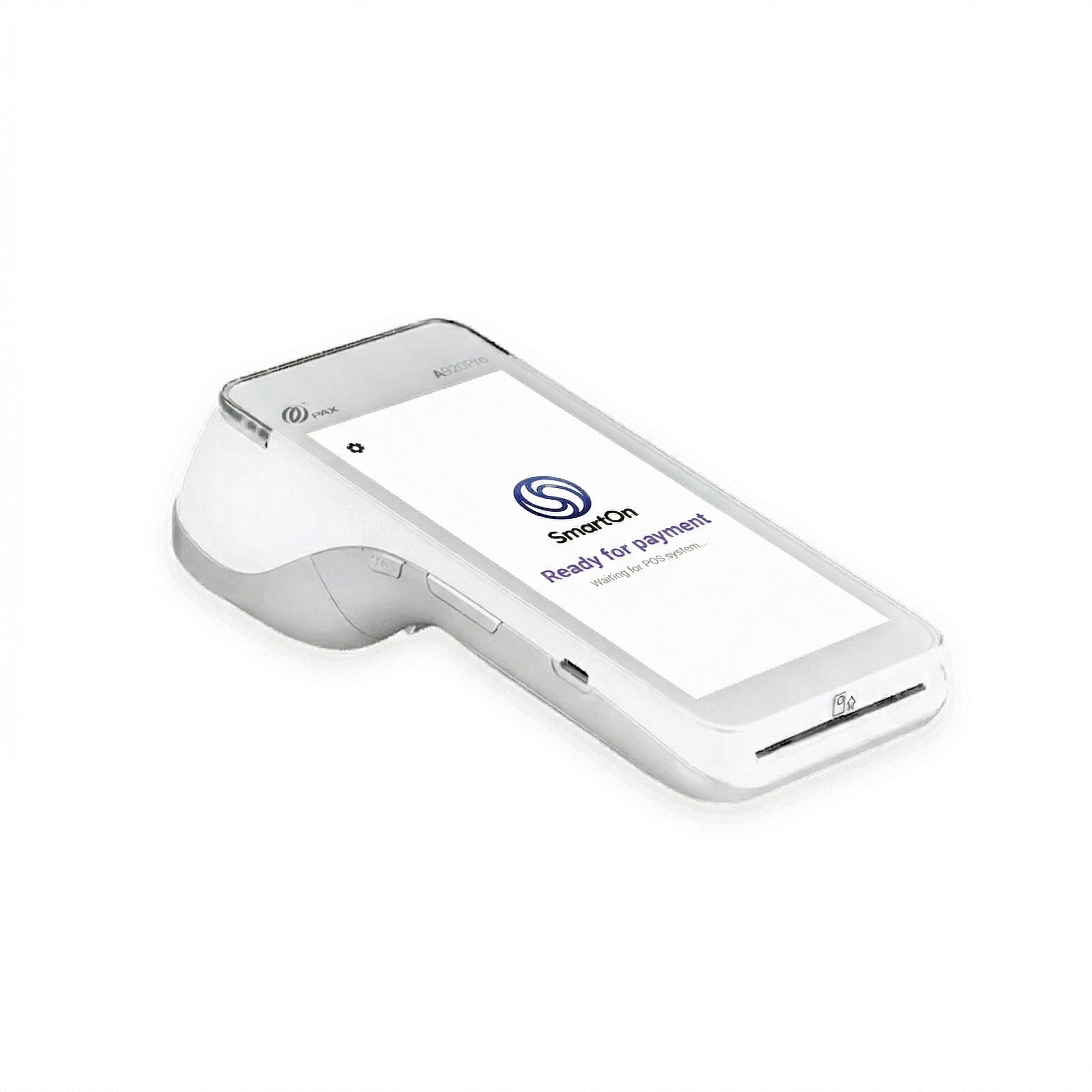
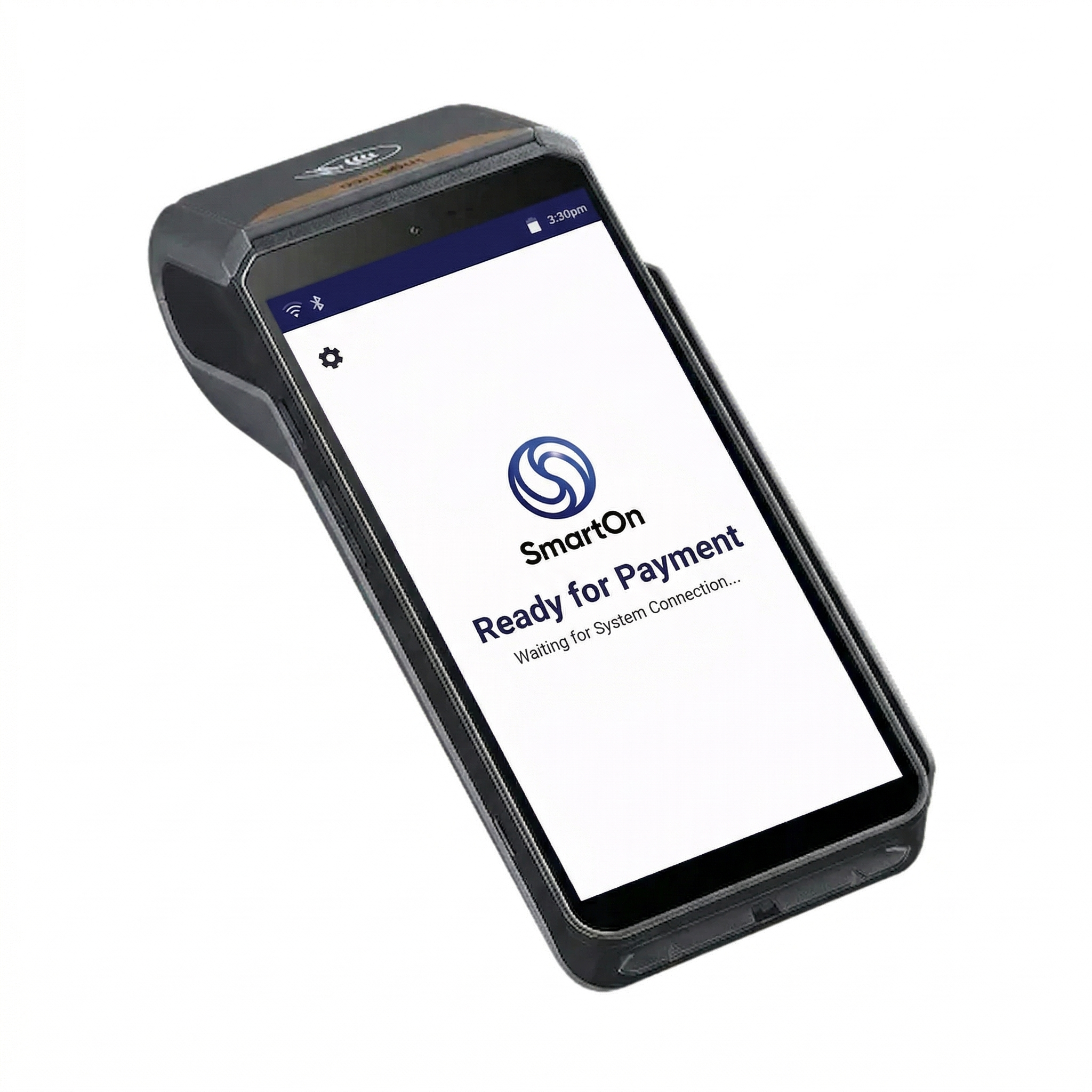
SmartOn integrates directly with card payment terminals. When the cashier taps "Pay by card", the order total is sent automatically to the terminal and waits for the customer to pay. Once the payment goes through, the order closes in the till on its own.
- Order total sent to terminal automatically
- Customer pays — order closes on its own
- No manual amount entry on the terminal
- Works with different terminals and configurations
3-in-1 solution
No separate desktop needed. The cash register system can run directly on the payment terminal — everything in one device.
Invoicing
VAT invoice straight from the till
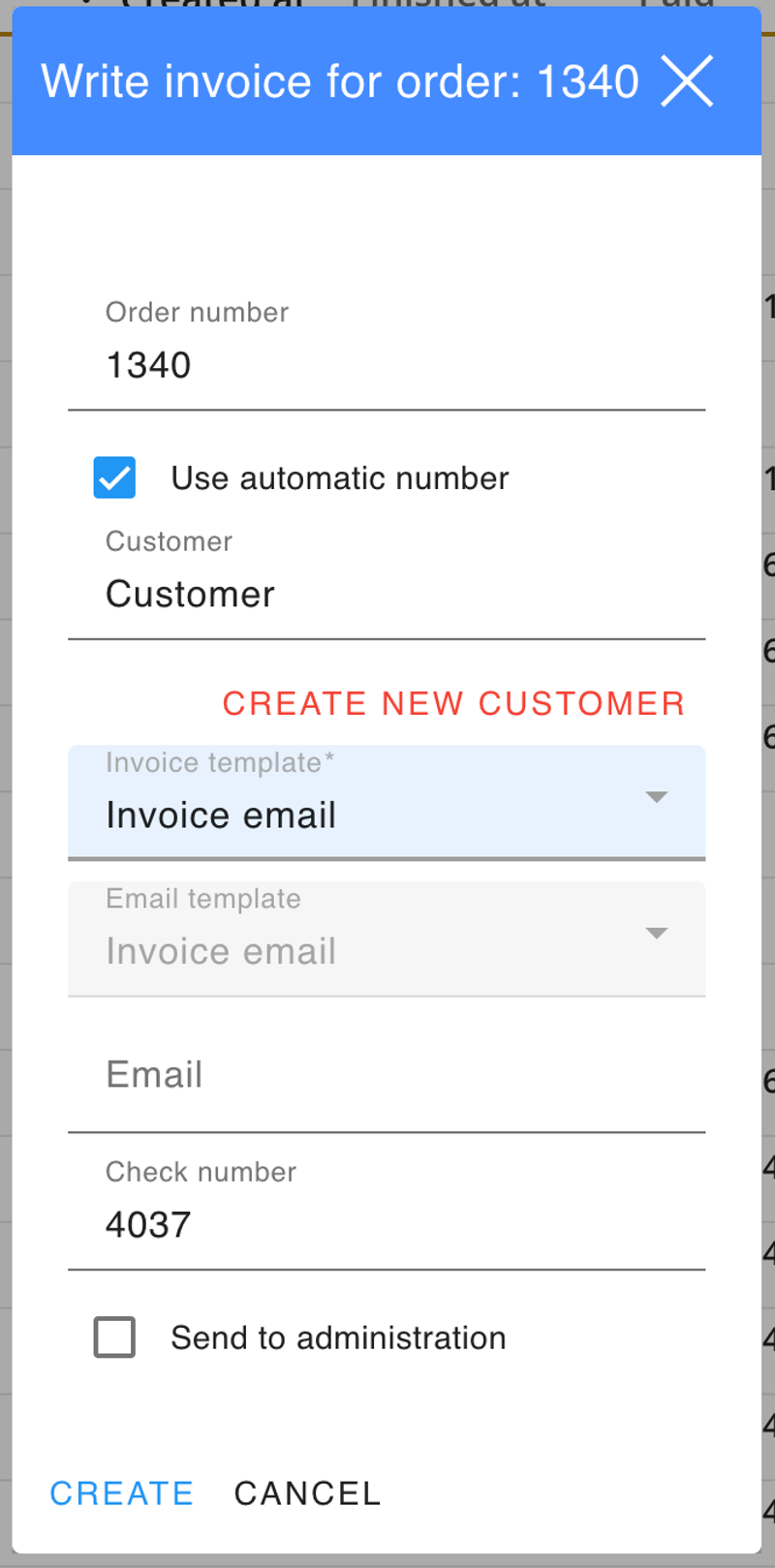
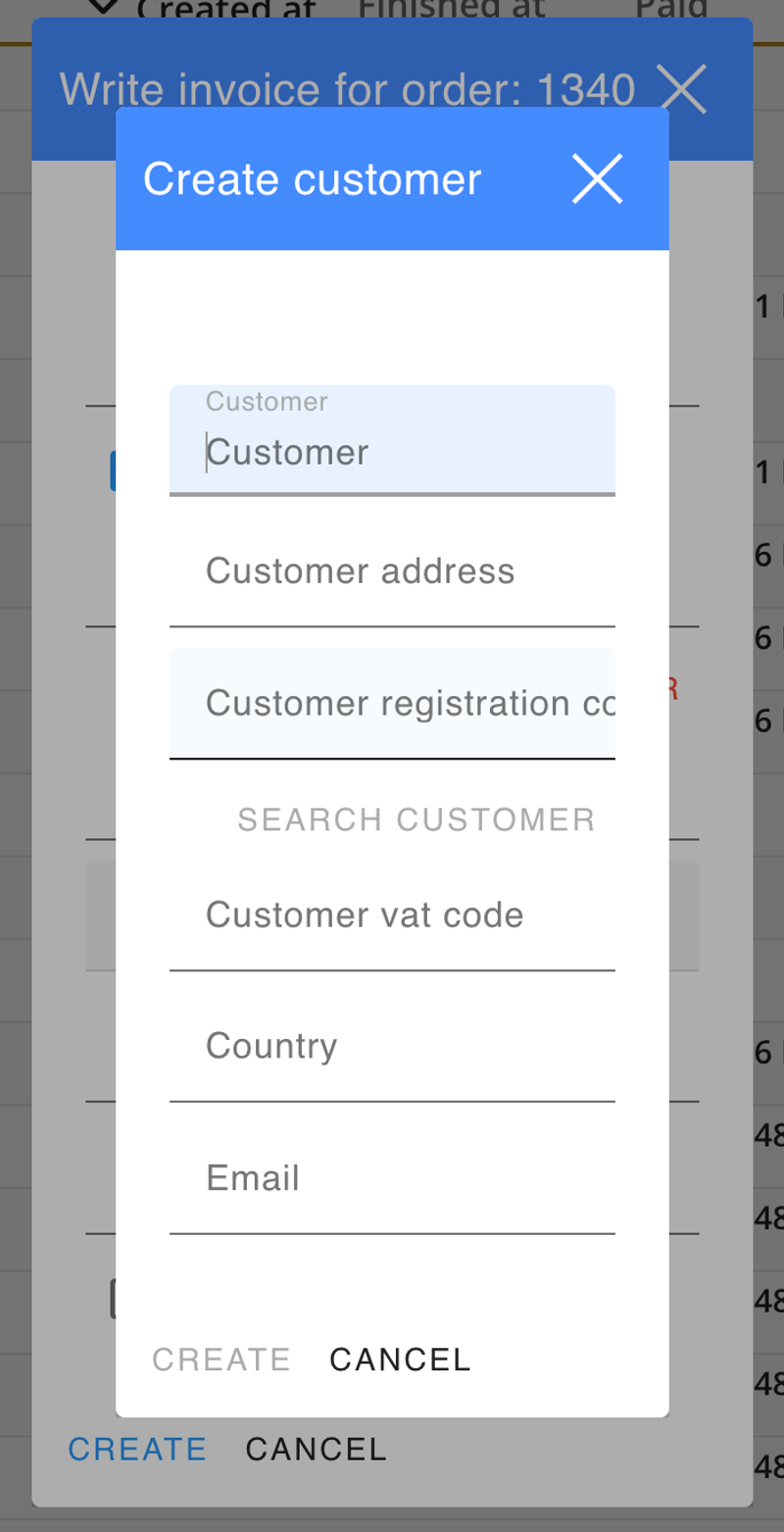
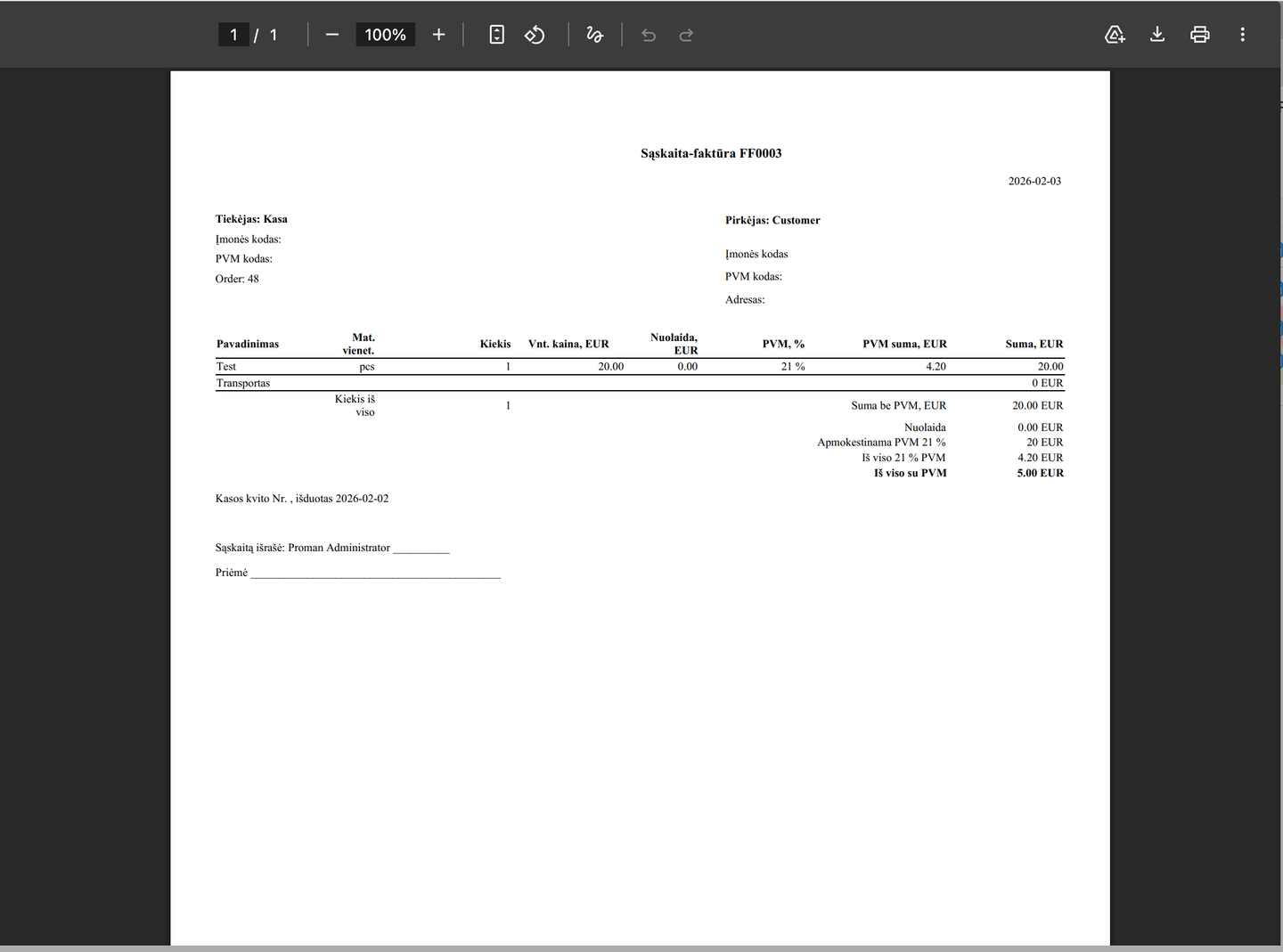
Issue an official VAT invoice for any order directly from the POS screen. Enter the company registration number and buyer details fill automatically from the registry.
- Auto-fill from company registry
- PDF VAT invoice generated instantly
- Email sent directly from POS
- Automatic numbering by series
- Forward to bookkeeper in one tap

Integrated with EDS — invoices sent directly to the electronic document system.
Inventory control
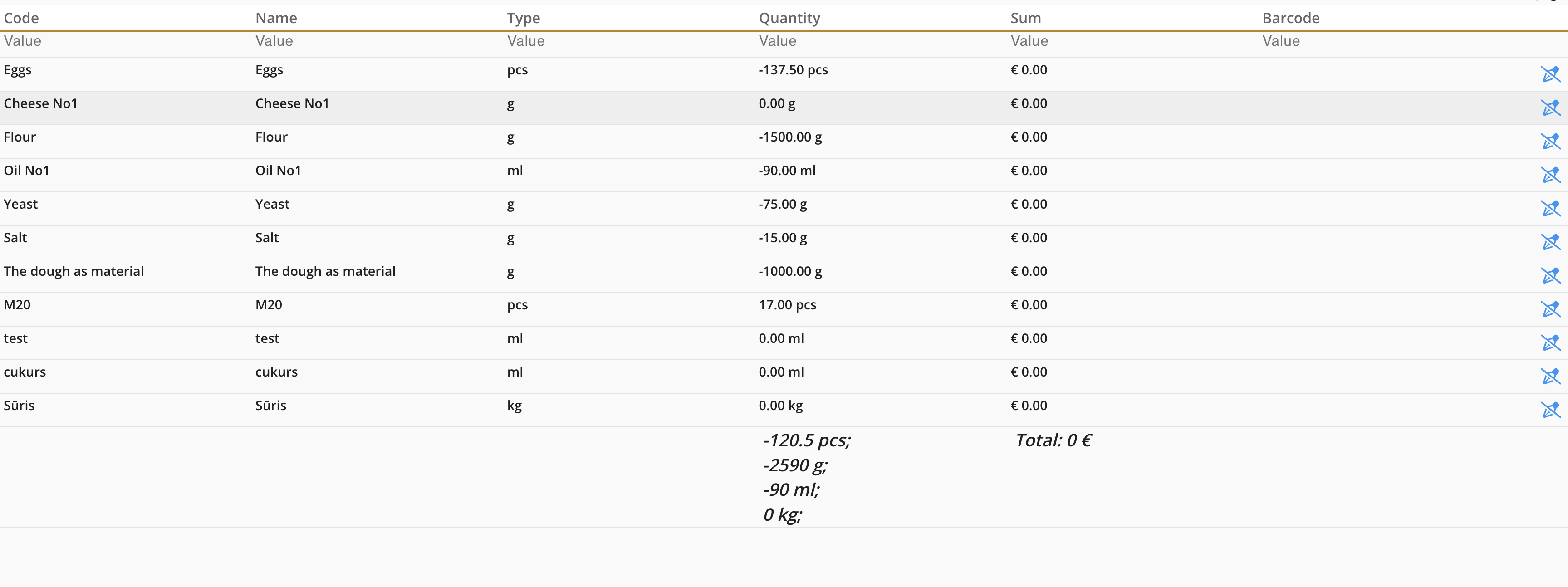
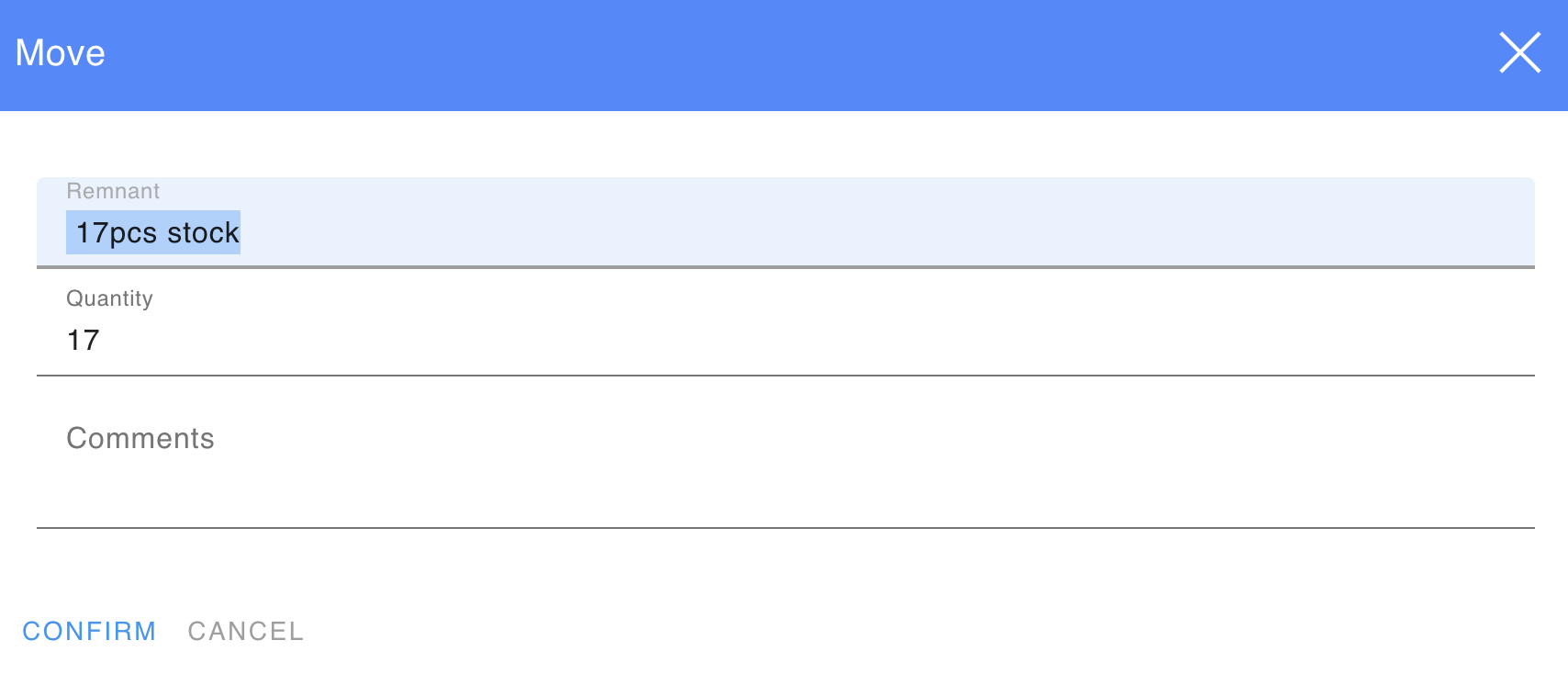
Material write-off in one tap
Right from the POS screen, your staff can write off leftover materials at the end of the day. The system automatically updates stock levels — no paper forms, no separate apps.
- Write off materials directly from POS
- Stock levels update instantly
- Automatic write-off record generated
- Option to carry over remnant to next day
- Full write-off history in the backoffice
Reports & operations
All reports printed straight from the cash register
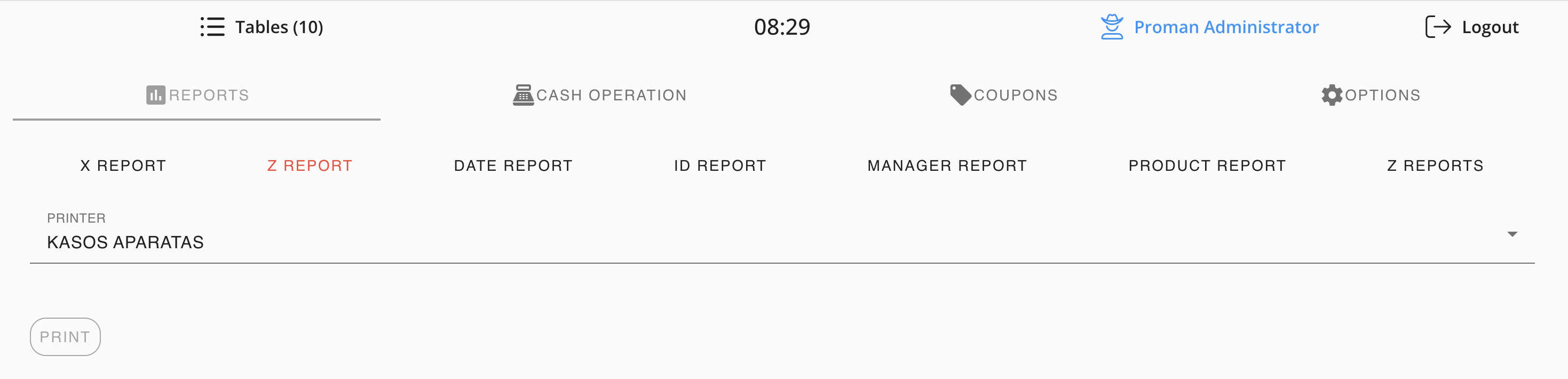
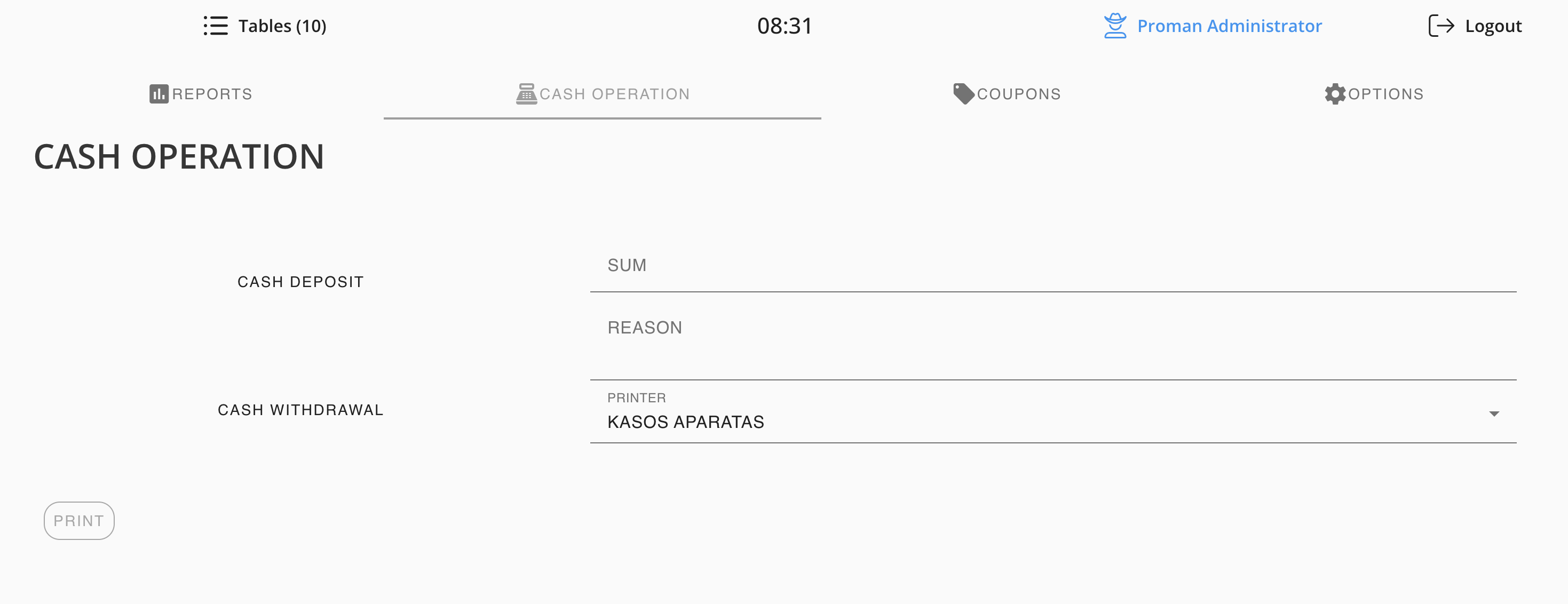
X and Z reports, reports by date, employee, product, or Z number — all printed directly from the cash register. Cash operations (deposits and withdrawals) are also logged and printed on the spot.
- X Report (interim)
- Z Report (fiscal end-of-day)
- Reports by date and Z number
- Manager and product reports
- Cash deposit and withdrawal logging
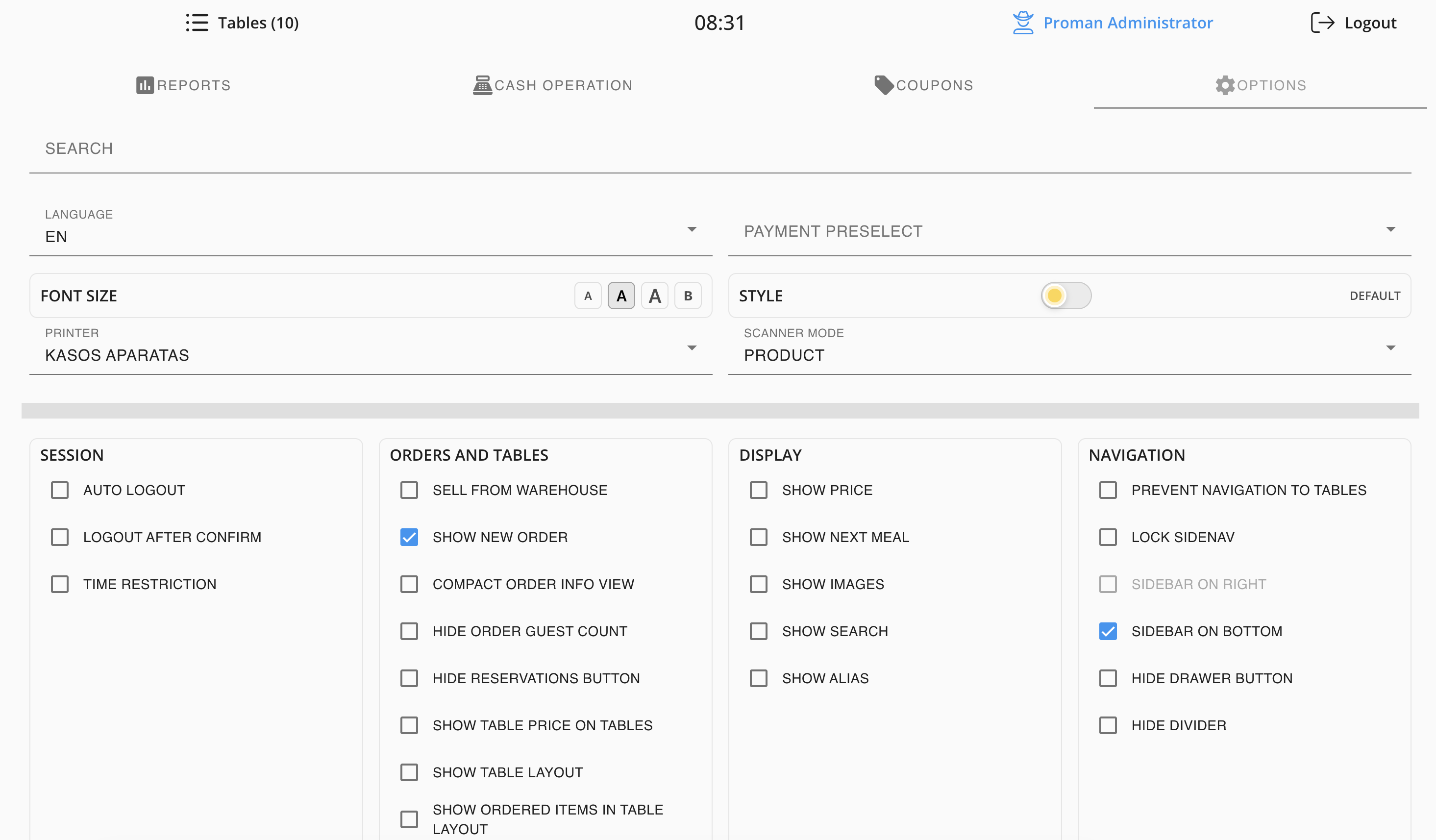
Flexible settings
The POS adapts to the way you work
Turn on only what you need. Hide buttons you don't use. Add a search bar, a next-meal button so the kitchen knows what to prepare next, adjust font size, scanner mode, display style — all configurable in a few clicks.
Session
- Auto logout
- Logout after confirm
- Time restriction
Display
- Show price
- Show next meal
- Show images
- Show search
Orders
- Show new order
- Sell from warehouse
- Hide reservations button
Navigation
- Sidebar on bottom
- Lock to table
- Hide divider
Popular products
Popular products appear instantly
Mark a product as popular and it automatically appears on the table screen the moment a waiter opens the table. No searching the menu — orders go in faster, queues get shorter.
- Mark any product as popular in the back-office
- It appears instantly when a table is opened
- Colour-coded buttons for different product types
- Works for cafes, restaurants, and bars
Popular products

Available on iOS & Android
Manage your restaurant from anywhere.